Every entry links to a public source
AI prompts and workflows for small-business bookkeeping, each one traced to a public source.
Short answer
Bookkeeping Prompts is a free directory of AI workflows and copy-paste prompts for small-business bookkeeping. Every workflow comes from something real: a vendor's documentation, an accounting journal, or a bookkeeper's write-up. We link the source and add a prompt you can copy. Find your task, grab the prompt, and read the source before you trust it.
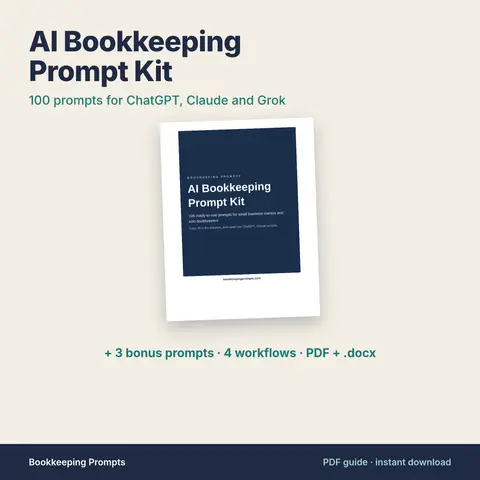
Paid download
Get the kit
AI chat tools can help with bookkeeping, but only if you ask the right way. The kit gives you 100 prompts written for the work that fills a bookkeeper's month. Copy one, fill in the blanks, and paste it into ChatGPT, Claude or Grok.
How to use this directory
- 1Search for a task, such as bank reconciliation or receipts, or pick a topic below.
- 2Open a workflow to read what the source describes and follow the link to the original.
- 3Copy the prompt, replace the bracketed placeholders and remove sensitive data before pasting.
- 4Tie the result back to your own reports before anything reaches the books.
Browse the directory
83 workflows
| # | Workflow | Category | Tools used | Source |
|---|---|---|---|---|
Reconcile Vendor Statements to the AP Ledger with ChatGPTBILL's guide to vendor reconciliation describes comparing the balance on the vendor statement with the AP ledger for that supplier, matching invoices on number, date, quantity, price and tax, verifying that each payment was applied, and investigating every discrepancy with supporting documents. Its worked example finds a $1,000 difference because the vendor's statement showed one invoice $1,000 higher than the ledger, which had the correct amount. Ramp notes that timing differences and vendors applying payments to older invoices are common causes of mismatches. OpenAI Academy says ChatGPT can analyze uploaded CSV and XLSX files by writing and running code to clean data, merge columns and spot anomalies. | Accounts Payable | ChatGPT, Microsoft Excel | BILL (What is vendor reconciliation?) | |
Three-Way Match: POs, Receipts and InvoicesMicrosoft Learn describes three-way matching as checking the price on a vendor invoice against the purchase order and the quantity on the invoice against the product receipts, with any difference outside a set tolerance flagged as a matching discrepancy. Its example is an invoice billed at 1.10 per unit against a PO price of 1.00 under a 5 percent price tolerance, which fails the match. The Claude Help Center says Claude can run code on uploaded CSV and other data files and create Excel spreadsheets with working formulas that you download from the conversation. | Accounts Payable | Claude, Microsoft Excel | Microsoft Learn (Accounts payable invoice matching overview) | |
Bank Reconciliation Checklist Prompt for Any AI Chat ToolXero's US guide on how to do a bank reconciliation says you compare your business records to the bank statement so every recorded transaction appears on the statement and every bank line appears in the books. It walks through gathering the statement and the ledger, matching deposits and withdrawals, and finishing when the ending balances match. The FAQ gives the formula: bank statement balance plus deposits in transit minus outstanding checks equals the adjusted bank balance, which should match the adjusted book balance after timing differences. | Reconciliations | Xero US (How to do a bank reconciliation) | ||
Answer Client Accounting Questions in Plain English with GrokxAI's developer overview describes the Responses API for generating text, multi-turn chat and function calling, alongside its voice, image and video APIs. The quick start sends a request to https://api.x.ai/v1 with an xAI API key, using either the OpenAI SDK pointed at that base URL or a curl call, and the docs also cover web search, structured outputs and the Batch API. This workflow uses the API, not the Grok app: a small script or internal tool sends the client's question with the books data you choose to include, and you review the draft answer before anyone sends it. | Practice Operations | Grok, xAI API | xAI Docs (Get started) | |
Build a Budget vs Actual Report in Google Sheets with GeminiGoogle's help page for Gemini in Google Sheets says Gemini can create tables and formulas, generate data analysis and insights, build charts, and perform actions such as conditional formatting, pivot tables, filters and number formats, each shown on a preview card you apply or undo. It works best with native Google Sheets files, so Google says to save an Excel file as Google Sheets first. Inserted charts go on a new tab with their data and do not change when the original data changes, and the conversation history is lost when you reload or reopen the file. The feature requires an eligible Google Workspace or Google AI plan. | Reporting and Analysis | Google Sheets, Google Gemini | Google Docs Editors Help (Collaborate with Gemini in Google Sheets) | |
Draft Adjusting Journal Entries for Review with ClaudeAnthropic's prompt engineering overview says to start with three things: a clear definition of the success criteria for your use case, some way to test against those criteria, and a first draft prompt you want to improve. It points to Anthropic's prompting best practices for the techniques themselves, from clarity and examples to XML structuring, role prompting, thinking and prompt chaining. It also notes that not every failing result is best solved by prompt engineering. For adjusting entries, the success criteria are easy to write down: every entry balances, uses only accounts on the chart, and names its support. | Month-End Close | Claude | Claude Docs (Prompt engineering overview) | |
Write Bookkeeping Excel Formulas with ChatGPTOpenAI's help article on data analysis says ChatGPT can analyze uploaded spreadsheets, including .xls, .xlsx and .csv files, answer questions about the data and create tables or charts. It recommends descriptive column headers in the first row, one row per record, and no empty rows or columns splitting the data. For some tasks ChatGPT writes and runs Python code, and OpenAI says to review the generated code, outputs and assumptions before relying on the result. The article also notes that the number and complexity of formulas in a spreadsheet can affect processing. | Reporting and Analysis | ChatGPT, Microsoft Excel | OpenAI Help Center (Data analysis with ChatGPT) | |
Audit your bookkeeping firm's Google Business Profile categories and attributes with AIGoogle's Business Profile Help says to pick a primary category that best describes the business, choosing the most specific option on its list, and notes you cannot create your own category. You can add up to 9 more categories, but Google says not to use categories as keywords or to describe features. Changing a category may trigger re-verification. Attributes describe the business, some factual ones can be edited, and subjective ones come from Google users. | Local SEO for Firms | Google Business Profile Help (Manage your business category) | ||
Build a local service page and FAQ for your bookkeeping firm's website with AIGoogle Search Central documents LocalBusiness structured data, which can tell Google a business's name, address, hours and other details, and lists required and recommended properties. Google's Business Profile Help says local results are based mainly on relevance, distance and prominence, and suggests keeping business information complete and accurate. Google announced in August 2023 that FAQ rich results would show only for well-known, authoritative government and health sites, so FAQs on a firm's page help readers rather than earning a rich result. | Local SEO for Firms | Google Search Central (Local business structured data) | ||
Draft Google review replies for a bookkeeping firm: positive, neutral, negative and star-onlyThese review reply templates follow Google's Business Profile Help: a verified business can reply to reviews from its profile. Google checks each reply against its content policies before posting, which usually takes up to 10 minutes but can take up to 30 days. An approved reply is public, shows as the business rather than a personal name, and the reviewer is notified and can still change the review. | Local SEO for Firms | Google Business Profile Help (Manage customer reviews) | ||
Plan 4 weeks of Google Business Profile posts for a bookkeeping firm with AIGoogle's Business Profile Help describes three post types: Updates, Offers (title, dates and time required, with a View Offer button) and Events (title, start and end dates). Posts can be scheduled or set to repeat, and Google reviews each post against its content policy before it goes live. Google says posts with a phone number in the text may be rejected, and that posts older than 6 months are archived unless a date range is set. | Local SEO for Firms | Google Business Profile Help (Create & manage posts on your Business Profile) | ||
Turn the public Google reviews of 3 nearby bookkeeping firms into service and messaging ideas with AIGoogle's Business Profile Help says reviews are useful to potential customers when they are honest and objective, and that a mix of positive and negative reviews is more trustworthy. It says to value all reviews, reply to them, and remind customers to leave reviews, and that business owners should not offer incentives. Google's Maps content policy prohibits fake engagement, which rules out writing or buying reviews for your own or a competitor's profile. | Local SEO for Firms | Tips to get more reviews | ||
Write your bookkeeping firm's Google Business Profile description and services within Google's limitsGoogle's Business Profile Help says the description should cover what you offer, what makes you special and how long you have been in business, must stay within 750 characters, and must not include URLs or HTML. Google's guidelines add that descriptions should not focus on promotions, prices or sales, and should not show links or gimmicky characters. Google also offers AI-written descriptions in some regions and says to review them for accuracy. | Local SEO for Firms | Google Business Profile Help (Edit your Business Profile) | ||
Accrue unsynced card spend at month-end with Ramp's Accounting AgentRamp's launch post for its Accounting Agent says it codes every line item, reviews every transaction, and flags anything needing judgment, with routine low-risk spend auto-syncing to the accounting system. At month-end, Ramp accrues transactions that are not ready to sync so spend lands in the right period, reverses the accrual the next month, and reconciles with the ERP, flagging missing, duplicate or mismatched transactions. Corrections can be given once in plain language and the agent learns from them. | Month-End Close | Ramp, Ramp Accounting Agent | Ramp Blog (product announcement) | |
Apply Customer Payments to Invoices with Remittance Advice AIInvoiced's cash application page describes a CashMatch AI algorithm that applies customer payments to the right accounts, invoices and balances, plus remittance advice AI where you upload a document and the system matches payments to invoices while flagging inconsistencies. It also mentions custom matching rules, a virtual lockbox for scanning paper checks, short-pay and over-pay handling, multi-invoice application and a confidence score from 1 to 100 percent per match. | Accounts Receivable | Invoiced, Invoiced CashMatch | Invoiced (vendor product page) | |
Ask Xero JAX for Profit Trends, Cash Flow and BenchmarksXero Central describes JAX (Just Ask Xero) as a generative AI finance partner that answers questions about a business's financials and about using Xero. With Analytics, JAX can find trends, create cash flow projections, and benchmark the business against similar businesses in its industry. Its feature table lists financial insights such as revenue or profit trends, past and projected cash flow position, and industry comparisons. JAX is in beta, needs the admin or standard user role, and its features depend on the Xero pricing plan. | Reporting and Analysis | Xero, JAX (Just Ask Xero) | Xero Central | |
Auto-Categorize Receipts with Dext AI Assist Guidance RulesDext's help centre describes AI Assist as a bookkeeping agent that suggests values for fields like category, tax and description on Costs and Sales items, using document content and past decisions. It explains each suggestion and lets the user accept, dismiss or automate it, with each guidance rule set to manual review or auto-apply. It can also read the body of emails used to submit documents. | Receipts and Expenses | Dext Prepare, Dext AI Assist | Dext Help Centre | |
Auto-Code PO and Non-PO Invoices with Stampli's Billy the BotStampli's blog walks through how its AI assistant, Billy the Bot, extracts invoice data and then codes it. For PO invoices Billy associates the purchase order, pulls GL codes and matches invoice details to the PO, flagging discrepancies; for non-PO invoices it identifies cost center and expense type and flags details it needs clarified, then learns to suggest the right approver over time. | Accounts Payable | Stampli, Billy the Bot | Stampli Blog (vendor article) | |
Auto-Collect and Match Card Receipts from Email with RampRamp's announcement of receipt automation explains that it can fetch receipts directly from Gmail or Outlook inboxes and receive them automatically from Amazon Business, Uber and Lyft. Its AI parses merchant, amount and date from submitted receipts and combines this with card network data to match receipts to card transactions. | Receipts and Expenses | Ramp, Gmail, Microsoft Outlook | Ramp Blog | |
Auto-draft month-end flux explanations with Numeric and ClaudeNumeric documents an MCP use case where Claude loops through every pending flux task assigned to you, pulls six months of transaction lines per account, groups them by dimensions such as vendor, customer, department, class and location, and drafts conclusion-first variance explanations. Each draft leads with the total variance and primary driver, followed by supporting bullets with dollar breakdowns. Claude drafts and can post the explanation, but does not submit the task; you review and submit. | Month-End Close | Numeric, Numeric MCP, Claude | Numeric (MCP use case documentation) | |
Auto-Publish Receipts to Xero with Hubdoc Supplier RulesXero Central explains how to enter details for a document in Hubdoc and publish it to create a new transaction in Xero with a copy of the document attached. It also shows how to enable autosync for a supplier so Hubdoc automatically configures and publishes that supplier's documents to Xero as soon as they are uploaded. Documents detected as credit notes are not auto-published and must be reviewed manually. | Receipts and Expenses | Hubdoc, Xero | Xero Central | |
Auto-Publish Routine Supplier Bills to Your Ledger with Dext RulesDext's help centre explains that Auto-publish sends eligible items to connected accounting software after data extraction, based on rules set per supplier, customer, payment method or the whole account. It works alongside supplier rules and Smart split, lets you exclude document types such as supplier statements, applies only to future documents, and Dext AI Assist can also auto-publish using guidance rules that combine conditions like supplier and amount. | Accounts Payable | Dext, Dext AI Assist, Xero, QuickBooks Online | Dext Help Centre | |
Auto-reconcile bank statement lines in Xero with JAXXero says its automatic bank reconciliation is powered by JAX, which tries to reconcile new statement lines using four methods: Rule (your bank rules), Match (an existing Xero document), Memory (how you reconciled similar items) and Prediction (how other Xero users reconciled similar items). JAX only auto-reconciles when highly confident; otherwise it suggests a match and leaves the final decision to you, and you can challenge or reject its matches. | Reconciliations | Xero, JAX | Xero US (product page) | |
Automate recurring close workflows with FloQast AI agentsFloQast's Close AI page describes AI agents that automate repeating close workflows, from pulling data and building entries to tying out and posting, with agents built from a close you already did or from a prebuilt library. It also covers automated amortization, depreciation and subledger reconciliations and continuous GL monitoring that flags anomalous transactions by severity and routes them to the right owner. FloQast says every agent shows its reasoning, an accountant signs off before it runs, and audit evidence is captured automatically. | Month-End Close | FloQast, FloQast AI Agents | FloQast (product page) | |
Automate Vendor W-9 Collection and Invoice Data Entry with BILL AIBILL's accountant resource article explains how BILL AI extracts invoice details such as vendor name, invoice number, dates, amount, terms and PO number into bills, leaving fields blank when data is not recognized. It also describes duplicate invoice warnings, automatic splitting of multi-invoice documents, a Reminders report that flags potentially missing bills, and a W-9 Agent that emails vendors to collect and enter W-9s. | Accounts Payable | BILL, BILL W-9 Agent | BILL Accountant Resource Center (vendor article) | |
Benchmark a Client P&L Against Industry Norms by NAICSThis TechNews.Tax newsletter post describes how a tax firm reviews Profit and Loss statements from clients who do their own books, using an AI prompt that compares the statement to typical expense categories and percentages for the client's NAICS code. The prompt asks for a NAICS summary, a category and percentage comparison, a judgment on whether expenses are in line (within a 10% variance), and a risk explanation for outliers. The author uses the OpenAI API but notes the same process works in ChatGPT, Gemini, Copilot or similar tools. | Reporting and Analysis | TechNews.Tax (newsletter, archived copy, May 13, 2026) | ||
Build a Formatted Reconciliation Workbook from CSVs with ClaudeAnthropic's help article says Claude can execute code to create and work with files directly in a conversation, producing Excel spreadsheets, PowerPoint presentations, Word documents and PDFs that you can download or save to Google Drive. It says code execution and file creation are available on Free, Pro, Max, Team and Enterprise plans, on the web, Claude Desktop and Claude Mobile. Its examples include building financial models in Excel with working formulas and performing advanced analyses on uploaded data, which is what a reconciliation workbook built from bank and ledger exports needs. | Reconciliations | Claude, Microsoft Excel | Claude Help Center | |
Build a Rolling 13-Week Cash Flow Forecast with AI and ExcelIn this Mostly Metrics tutorial, the author records building a 13-week rolling cash forecast for a fictional software company from eight messy data tabs, including an invoice export with inconsistent terms, collections history, AP, a payroll calendar and one-off items. Claude first works out each customer's actual days-to-pay from collections history rather than nominal terms, then builds a forecast with beginning cash, collections, disbursements, net change and ending cash chained week to week. The model includes a covenant line with an automatic OK/BREACH flag. | Reporting and Analysis | Microsoft Excel | Mostly Metrics (newsletter) | |
Build a Weekly AR Chase List and Reminder Drafts with AIThis free interactive lesson has a bookkeeper upload an AR aging report CSV to ChatGPT and ask for a chase list that skips invoices not yet due, holds disputed invoices in a separate list, and sorts oldest bucket first then largest amount. The user checks rows and totals against the file, then asks ChatGPT to draft friendly, firm or final reminder emails, verifies every fact, and sends the emails personally. | Accounts Receivable | Stepthrough by Ynteractive (interactive tutorial) | ||
Build an Email-to-Ledger Invoice Workflow with Zapier AI and AgentsZapier's guide explains how invoice automation captures invoices from email or portals, extracts fields, matches against POs, routes approvals and syncs to accounting systems like QuickBooks Online or Xero. It shows Zapier workflows that turn emailed invoices or files dropped in cloud folders into accounting records, log invoices to a spreadsheet and post Slack alerts, and suggests using AI by Zapier to categorize invoices and Zapier Agents to monitor incoming invoices and extract due dates and amounts. | Accounts Payable | Zapier, AI by Zapier, Zapier Agents, QuickBooks Online, Xero, Slack | Zapier Blog | |
Build Horizontal, Trend and Ratio Analysis in Excel with AIA Journal of Accountancy technology Q&A shows how ChatGPT-4o can create Excel spreadsheets from scratch and analyze uploaded files. In the financial analysis example, the author pasted raw financial data and ChatGPT returned a workbook with tabs for Raw Financials, Horizontal Analysis, Trend Analysis and Ratio Analysis. The author advises being specific in the prompt if you want working formulas rather than values. | Reporting and Analysis | Microsoft Excel | Journal of Accountancy | |
Build reconciliation working papers from a bank statement and invoice folder with ClaudeA finance educator and former auditor, writing in the Tips & Insights on Finance & AI newsletter, describes dropping 100 invoices and a bank statement into Claude Cowork and running the reconciliation skill from Anthropic's Finance plugin. The post lays out six steps: install the plugin, create Bank_Statement and Invoices subfolders, create a Cowork project, call the skill, ask Claude to add a verification tab, and review only the exceptions. The author stresses that messy inputs still produce poor results. | Reconciliations | Claude Cowork, Anthropic Finance plugin, Claude Desktop | Tips & Insights on Finance & AI (newsletter) | |
Calculate Receivable Days Overdue with Copilot in ExcelMicrosoft Support explains that Copilot in Excel can add columns that calculate new values from your existing data, such as durations, and explain how each formula works. A short YouTube tutorial applies this to receivables: Copilot suggests a days-overdue formula, the formula is then edited to count from today when the paid-in-full date is blank and to handle partial payments, and the new column is sorted from largest to smallest to focus on the longest overdue accounts. | Accounts Receivable | Microsoft 365 Copilot, Microsoft Excel | Microsoft Support (Get data insights with Copilot in Excel) | |
Catch Payroll Errors Before Submission with Paychex WISEPaychex's guide to running payroll in Paychex Flex describes WISE as an AI engine built into the platform that flags potential issues before submission, such as missing data, unusual amounts and possible compliance gaps. It also automates prep tasks like syncing time data, identifying missing pay rates and generating preprocessing reports. Paychex states that payroll administrators review and approve flags and data before anything is submitted. | Payroll | Paychex Flex, Paychex WISE | Paychex Articles | |
Categorize Leftover Expenses with AI After Bank RulesThis Brocent guide argues that QuickBooks and Xero bank rules should handle recurring transactions deterministically, and that ChatGPT is best used for the residue of unrecognised payees, split transactions and anomaly review. It recommends exporting uncategorised transactions to CSV with the real chart of accounts, asking for a suggested category with a confidence note and flags, and reviewing everything before posting. It stresses never auto-posting AI output, keeping an audit trail and leaving tax judgements to an accountant. | Receipts and Expenses | QuickBooks Online, Xero | Brocent Blog | |
Chase Clients About Uncoded Transactions with an AI-Drafted EmailThe Firm's guide to ChatGPT prompts for bookkeepers argues that bank feeds and ledger rules already handle matching, so chat assistants are most useful for the writing around the ledger, starting with the email asking a client to explain transactions the bookkeeper cannot code. It recommends grouping similar items, numbering questions, requesting receipts, and following up with a shorter, firmer second chase. The article also says to strip names, tax identifiers and account numbers before pasting, use a firm-approved tier, and never let the assistant decide tax treatment or code from memory. | Receipts and Expenses | The Firm (accounting publication) | ||
Check a Vendor's Status Before Paying with Grok Web and X SearchThe FBI's Internet Crime Complaint Center (IC3) describes a business email compromise scheme in which a business with a longstanding supplier is asked, by email, phone or fax, to pay an invoice to an alternate, fraudulent account. It advises confirming requests to transfer funds and, when using phone verification, calling previously known numbers rather than numbers in the request. xAI's documentation says Grok's Web Search tool searches the web in real time and browses pages, and its X Search tool searches posts on X and answers with citations. Together they support a pre-payment check: research the vendor's recent public news, then verify any bank change by phone. | Accounts Payable | Grok, Grok web search, X Search | FBI IC3 (public service announcement) | |
Clean Up a Messy Chart of Accounts with an AI Review PlanOCTA's resource page describes AI chart of accounts cleanup that reviews a client's account list against actual posting activity to find duplicates, near-duplicates, unused accounts, wrong account types, misparented sub-accounts and naming inconsistencies. In OCTA Flow the agent connects to QuickBooks, Xero, Sage or Zoho, proposes merges, reclasses, deactivations and renames ranked by severity, and the bookkeeper applies approved changes in the ledger. The page notes that merges can move history and affect prior-period reports, so those are flagged for close review. | Practice Operations | OCTA Flow, QuickBooks Online, Xero, Sage, Zoho Books | OCTA (vendor resource) | |
Create Draft Bills from Emailed Invoices with Sage Intacct AP AutomationSage Intacct's help documentation explains that when a bill is emailed or uploaded, AP Automation uses Sage Network AI to identify the vendor, extract names, dates, addresses and line items, code GL account, location and department, and create a draft transaction ready to review and post. It also detects and flags duplicates, and its machine learning learns both from collective Sage Network activity and from each company's own corrections. | Accounts Payable | Sage Intacct, Sage Intacct AP Automation, Sage Network | Sage Intacct Help Center | |
Delegate Timesheet Approvals to Paychex WISE AI AgentsThis Paychex press release announces WISE as an AI intelligence layer across Paychex Flex, Paycor and SurePayroll that includes agents, assistants and embedded intelligence. Paychex says WISE Agents act within parameters set and controlled by the customer and can schedule shifts and approve timesheets. WISE Assistants provide guidance and task support across chat, voice, email, text and collaboration tools. | Payroll | Paychex WISE, Paychex Flex, Paycor, SurePayroll | Paychex Newsroom | |
Draft a Client Financial Health Review from an Income StatementCPA Practice Advisor walks through pasting an anonymized landscaping company's income statement into ChatGPT and Gemini Advanced and asking how financially healthy the business is and what to recommend. Both tools identified the net loss, flagged salaries as a large share of expenses, and suggested cost and revenue actions. The author stresses anonymizing data, getting client permission, having an expert check every answer, and reviewing terms of service. | Reporting and Analysis | CPA Practice Advisor | ||
Draft Management Report Commentary with Fathom Commentary WriterFathom's help centre explains how the Commentary Writer, an AI tool inside Fathom Pro reports, drafts data-based commentary from up to six selected report components. Users add persistent Business Context (goals, strategy, market conditions) and per-period Report Context (one-off events, audience), choose a Simple or Technical style and length, then prompt and refine before adding the text to the report. Figures in the generated commentary can be hovered over to check where they came from. | Reporting and Analysis | Fathom, Fathom Commentary Writer | Fathom Help Centre | |
Fact-Check a Viral Tax Post on X Against Official Sources with GrokxAI's cookbook example builds a fact-checker with the Grok API. You paste a link to a post on X, and Grok reads it with X Search, images and video included, and splits it into up to four claims. It then checks each claim on the web and on X in its own request and writes a note in which every sentence cites a source the searches actually returned. Each claim gets a verdict of supported, missing context or not enough evidence, and any source Grok lists that the searches did not return is dropped, so a verdict stands only when a kept source backs it. The source-checking safeguards described here are part of the cookbook code, not the Grok app. | Tax Research | Grok, X Search, Grok web search | xAI Docs (fact-check cookbook) | |
Find Missing Vendor Invoices in Gmail with ClaudeAnthropic's documentation for the Gmail connector says Claude can search your email and answer questions from what it finds, with citations that link back to the messages it used. It is available on Pro, Max, Team and Enterprise plans, and on Team and Enterprise plans an Owner or Primary Owner enables it before members can connect. Claude accesses only the connected Google account and only email you can already see, retrieves the minimum information needed, and cannot see images embedded in emails. Anthropic's Google Workspace connector help page adds that Gmail access covers attachment metadata, not attachment content. | Accounts Payable | Claude, Gmail connector, Gmail | Claude Docs (Gmail connector) | |
Find Trends and Outliers in Ledger Exports with Copilot in ExcelMicrosoft Support explains that Copilot in Excel lets users ask questions in their own words to surface summaries, trends and outliers, returning results as charts, PivotTables or summaries. It can also add formula columns and rows (for example profit margin or percent of total), suggest single-cell formulas, build lookups such as XLOOKUP, and explain existing formulas. Microsoft advises being specific about which columns to analyze and to review and verify anything Copilot creates. | Reporting and Analysis | Microsoft Copilot, Microsoft Excel | Microsoft Support | |
Flag Hours and Rate Errors with ADP Payroll InspectorADP's news brief on RUN Powered by ADP describes ADP Assist, which uses generative AI so users can handle tasks like paying employees from the home page search bar in natural language. It also describes Payroll Inspector, which uses GenAI to help catch possible errors in an employee's hours or hourly rates before payroll runs, avoiding re-runs and possible bank fees. | Payroll | RUN Powered by ADP, ADP Assist, Payroll Inspector | ADP Media Center | |
Flag Vendor Bank Change Emails with a Grok Email AutomationxAI's announcement of Automations in Grok says an automation can run on an email trigger instead of a schedule. When an incoming email matches your filters on sender, recipient or subject, the automation fires with that email as context and Grok responds to the actual message, then saves the run to its history and reports back by email, app notification, both or neither. The FBI's IC3 recommends company policies that verify any change to existing invoices, bank deposit information and contact information, and contacting requestors by phone before complying with email requests for payments. | Accounts Payable | Grok, Grok Automations | xAI (Automations in Grok announcement) | |
Generate Executive Summary Insights with Spotlight AI SuggestionsSpotlight Reporting's help article describes AI options on the Executive Summary page and in Text Panels that can generate commentary on a report for up to five topics, or rewrite existing commentary to be shorter, longer, or more professional. The article notes that AI-generated text reflects the values at the time it was created and does not update automatically when data changes, unlike tags and auto-text. It also recommends checking generated text before completing the report because the AI can occasionally make mistakes. | Reporting and Analysis | Spotlight Reporting, Spotlight AI Suggestions | Spotlight Reporting Help | |
Keep Each Client's Coding Rules in a Claude ProjectAnthropic's help center describes Projects as self-contained workspaces with their own chat histories and knowledge bases. Anything uploaded to a project's knowledge base is used across all chats in that project, and project instructions tell Claude how to behave and respond in every chat there. Projects are available on free accounts, which can create up to five. Context is not shared across chats within a project unless it is added to the project knowledge, and on paid plans Claude automatically enables RAG mode when project knowledge approaches the context window limit. | Receipts and Expenses | Claude, Claude Projects | Claude Help Center (What are projects?) | |
Let an Upflow Collection Agent Draft Replies and Log Promises to PayUpflow's documentation describes AI collection agents that act on inbound customer emails in the Upflow AR inbox. Each agent has three skills, Replies, Promise to pay and Disputes, and admins set each skill to Off, Suggestions only or Auto-mode, then assign the agent to workflows. Replies must first be managed in Upflow, and the agent works only from customer, invoice and conversation data in Upflow. | Accounts Receivable | Upflow, Upflow collection agents | Upflow Documentation | |
Let Brex Assistant Fill Receipts, Memos and CategoriesBrex's support article describes Brex Assistant as an AI-powered assistant that can automatically populate and suggest receipts, memos, expense categories and attendees for card expenses. In auto-pilot mode it fills in expense information and assigns spend limits and categories, and it comments on expenses that violate policy to request more information. Managers get natural-language expense search, automated receipt audit and flags on high-risk expenses. | Receipts and Expenses | Brex, Brex Assistant, Slack | Brex Support | |
Log Emailed Receipts to Google Sheets with Claude and n8nThis n8n workflow template monitors Gmail for messages labelled receipts and a Google Drive folder for uploaded receipt files. It uses Anthropic Claude (text or vision) to extract vendor, date, total, currency, category and payment method, flags whether the content is a real receipt, archives attachments to Drive and appends validated expenses to a Google Sheets log with a link to the original receipt. | Receipts and Expenses | n8n, Claude, Gmail, Google Drive, Google Sheets | n8n Workflow Templates | |
Match high-volume bank and card transactions with FloQast AI MatchingFloQast describes AI Transaction Matching that matches high-volume transactions across multiple data sources, including bank and credit card reconciliations and 3-way matching. Users design matching rules in natural language and adjust them in an interactive interface without IT support, while automated alerts flag unmatched items and an audit trail records all matching activity. | Reconciliations | FloQast, FloQast AI Transaction Matching | FloQast (product page) | |
Predict Late-Paying Invoices with Business Central Late Payment PredictionMicrosoft Learn documents the Business Central Late Payment Prediction extension, which predicts whether posted sales invoices will be paid late so you can adjust payment terms or methods. Once enabled, a Payments Predicted to be Late tile opens Customer Ledger Entries with Late Payment and Prediction Confidence columns, and the model trains on invoice amounts, payment terms, credit memos and aggregated customer payment history. | Accounts Receivable | Microsoft Dynamics 365 Business Central, Late Payment Prediction extension | Microsoft Learn (Business Central documentation) | |
Prepare QuickBooks and Xero bank feeds for reconciliation with Booke AIBooke AI explains that AI bank reconciliation matches bank feed lines to records, suggests categories and points out what does not add up, but finishing the month still requires the statement ending balance to agree and someone to sign off. Booke works inside existing QuickBooks Online or Xero bank feeds, categorizes supported transactions, matches them to records and documents, and leaves low-confidence, unusual or missing-document cases open for review. In QuickBooks Online it prepares the month and you reconcile; in Xero it can also reconcile the line types you configure. | Reconciliations | Booke AI, QuickBooks Online, Xero | Booke AI Hub (vendor blog) | |
Rebuild Payment Chase Schedules with the Chaser AI AssistantChaser's help center explains that its AI assistant, powered by Google Gemini Flash, is a chat tool that can pull receivables data, such as top overdue invoices or highest-status debtors, into tables. It can also create new reminder templates, build chase schedules and assign customers to them, operating on a human-in-the-loop basis where users review and approve templates, schedules and contact moves before anything goes live. | Accounts Receivable | Chaser, Chaser AI assistant, Google Gemini | Chaser Help Center | |
Reclassify Miscoded Expenses in Excel with AIIn this Journal of Accountancy Tech Q&A, a CPA and accounting professor shows an accountant uploading a journal entry log where every expense was coded to Office Supplies. ChatGPT scans the Description column for keywords like laptop and monitor and builds a formula that adds a Reclassified Account column, for example moving those items to Computer Equipment. The author stresses checking the AI's work and never entering client or confidential information into ChatGPT. | Receipts and Expenses | Microsoft Excel | Journal of Accountancy | |
Reconcile a bank statement export against your chart of accounts with Claude CoworkClaude Academy walks through giving Cowork a folder with a checking account statement export and the chart of accounts, then asking it to match transactions to accounts, flag anything that does not line up, and draft journal entries for discrepancies. Claude may ask clarifying questions and build a plan for review, then returns the reconciliation logic, specific discrepancies and journal entries ready for review. Suggested follow-ups include exporting entries as CSV and creating a reconciliation summary for the records. | Reconciliations | Claude, Claude Cowork, Claude Desktop | Claude Academy (Anthropic tutorial) | |
Reconcile company card activity against your ERP with RampRamp's credit card reconciliation guide covers the manual process and then describes how Ramp reconciles Ramp data directly against QuickBooks Online and NetSuite inside the product, so variances surface without exporting to a spreadsheet. Its accounting agent auto-codes transactions across GL, department, class and location using merchant data and historical patterns, assigns a next step to each transaction so the review queue shows only what needs attention, and posts and auto-reverses accrual entries at period end. | Reconciliations | Ramp, Ramp Accounting Agent, QuickBooks Online, NetSuite | Ramp Blog (vendor guide) | |
Reconcile general ledger detail to the trial balance with an Excel AI agentA Journal of Accountancy article by two University of Akron accounting professors shows how they built an agent in ChatGPT for Excel, with a custom skill, to clean messy general ledger data and reconcile it to the trial balance. The skill makes the agent work from a copy, inspect before acting, present a plan for approval, use native Excel formulas, log every change, and aggregate the cleaned ledger by account to flag non-zero differences against the trial balance. The authors stress human validation, including formula tracing and spot checks. | Month-End Close | ChatGPT for Excel, Microsoft Excel, Claude for Excel | Journal of Accountancy (AICPA magazine) | |
Reconcile Payroll to the General Ledger by Cost Centre with AIPairWorkflows describes a method for giving ChatGPT payroll totals and general ledger postings for the same period, along with an account mapping and tolerance, so it can draft a reconciliation by cost centre and GL account. It flags items missing from the GL, unmatched GL entries, off-cycle runs and equal-and-opposite variances as candidates to investigate. The page advises minimising personal data, using employee IDs only, and treating the output as an investigation aid rather than a sign-off. | Payroll | Microsoft Excel | PairWorkflows Guide | |
Reconcile the Payroll Register to Bank Payouts with AI in ExcelThis Bricks guide walks through reconciling a payroll register against bank payout data in Excel with ChatGPT's help. It suggests asking ChatGPT for a reconciliation plan, then for XLOOKUP formulas to pull bank amounts next to net pay, IF formulas to flag differences, and COUNTIF formulas to find payments to people not on the register. It ends with a summary tab showing totals, overall variance and counts of discrepancies. | Payroll | Microsoft Excel | Bricks Resources Blog | |
Reconcile two Excel tables with the Microsoft Financial Reconciliation agentMicrosoft Learn explains that the Financial Reconciliation agent in the Finance Agent add-in for Excel reconciles two data sets formatted as tables on one or two worksheets. The agent suggests the tables and uses AI to propose reconciliation vectors (mapping and monetary keys) that you can keep, edit or remove before selecting Reconcile data. The resulting report groups transactions as matched, potentially matched or unmatched and includes a generative AI summary, with a Troubleshoot transactions feature for the unmatched items. | Reconciliations | Microsoft Excel, Microsoft Finance Agent, Financial Reconciliation agent | Microsoft Learn (product documentation) | |
Research Accounting Software Before Switching with Grok DeepSearchxAI's Grok 3 launch post introduced DeepSearch as its first agent, built to synthesize key information, reason about conflicting facts and opinions, and distill clarity from complexity, including the latest real-time news. xAI says Grok 3 models were equipped with code interpreters and internet access so they can query for missing context and adjust their approach, and that DeepSearch ends with a concise, comprehensive report. This workflow applies that to a bookkeeping decision: a research brief comparing two apps on pricing, integrations, data export and recent complaints, with every claim tied to a link you can check. | Practice Operations | Grok, Grok DeepSearch | xAI (Grok 3 launch post) | |
Research Multi-State Sales Tax Taxability with Avalara AviAvalara's blog introduces Avi for Tax Research, a conversational AI agent embedded in Avalara Tax Research and trained on Avalara's compliance content. Users ask product or service taxability, exemption and rate questions and receive explanations with links to supporting citations. The post's example shows the assistant retaining context so a user can ask whether the same transaction is taxable in a second state without restating the scenario. | Tax Research | Avalara Tax Research, Avi for Tax Research | Avalara Blog | |
Review AI-Flagged Payroll Anomalies Before Each Run with DeelDeel's blog explains that Deel Payroll runs automated validation as a pre-run step before a payroll package is finalized. AI checks flag duplicates and unusual changes by comparing payroll data against historical baselines, cross-system records and jurisdiction-specific rules. The article stresses that this supports the Payroll Manager's review rather than replacing it, and a person reviews anything flagged before the run closes. | Payroll | Deel Payroll, Deel AI | Deel Blog | |
Review AI-powered bank reconciliations with the QuickBooks Accounting AgentIntuit's October 2025 Intuit Connect announcement describes an improved Accounting Agent in QuickBooks with expanded anomaly detection, AI-powered reconciliations, and more accurate automated transaction categorization across classes and dimensions. The release says these agents are rolling out to US-based businesses and accountants in QuickBooks and Intuit Enterprise Suite. | Reconciliations | QuickBooks Online, QuickBooks Accounting Agent, Intuit Intelligence | Intuit Investor Relations (press release) | |
Review an AI-completed month-end close with Pilot's Meridian platformCPA Practice Advisor reports that Pilot launched Meridian, an AI platform for accounting firms that the company claims completes the month-end close from start to finish and returns review-ready financials. According to Pilot, Meridian closes the books according to each firm's policies and each client's processes, and writes completed output directly into the general ledger. Pilot also says it built and used Meridian internally across more than 8,000 businesses and 187,000 months of books; those are the company's figures, as reported. The article says Meridian has advanced support for QuickBooks Online today and can also work with Xero and NetSuite. | Month-End Close | Pilot Meridian, QuickBooks Online | CPA Practice Advisor (trade publication) | |
Route Bills to the Right Approver with Tipalti's Bill Approvers AgentTipalti's finance AI page describes a set of AP agents, including a Bill Approvers Agent that predicts and recommends the right approver, an Invoice Capture Agent, a PO Matching Agent, a Tax Form Scan Agent for W-9 data and a Duplicate Bill Detection Agent. The page says AI learns from past activity to recommend approval paths, works within existing role-based permissions, and that AI outputs may be inaccurate so users should review important outputs. | Accounts Payable | Tipalti, Tipalti AI Assistant, Tipalti Bill Approvers Agent | Tipalti (vendor product page) | |
Run pre-close quality checks with Digits Automated Quality ControlDigits' help center describes Automated Quality Control, which runs checks continuously on the books and surfaces anything that may need review as action items in the Checklist before close. Standard checks are on by default, advanced checks can be enabled, and most checks can be customized with plain English instructions that Digits turns into the logic it runs. Digits' own example checks flag equity balances that change sharply over three months and expense transactions above 1% of annualized total expenses. | Month-End Close | Digits, Digits Automated Quality Control | Digits Help Center | |
Scale Multi-Client AP with Vic.ai Autopilot Invoice CodingVic.ai's case study describes Countsy, an outsourced accounting firm for startups, which Vic.ai says processes up to 3,500 invoices a month across hundreds of clients on NetSuite, Bill.com and Expensify. Countsy adopted Vic.ai to automate invoice ingestion, coding and approval workflows, shifting accountants from manual entry to AI-assisted review, with the AI predicting GL dimensions such as cost account, department and location. | Accounts Payable | Vic.ai, NetSuite, Bill.com, Expensify | Vic.ai Case Study | |
Speed Up Client Email Replies with Karbon AI Summaries and Quick RepliesKarbon's February 12, 2025 release notes announce two open beta Karbon AI features for accounting firms. Karbon says quick replies offer three suggested responses to common incoming emails, and that AI summaries cover the 10 most recent conversations on each work item. The summaries are meant to help users get up to speed before client meetings without sifting through emails and notes. Karbon positions the conversation summaries as especially useful for owners, managers and partners overseeing many client relationships. | Practice Operations | Karbon, Karbon AI | Karbon Release Notes | |
Stage a Bonus Spreadsheet into Payroll with Rippling AIRippling's launch post for Rippling AI says a user can drop in a messy spreadsheet of spot bonuses and ask it to add them to payroll and convert currencies for review. Rippling AI maps columns to employee records, validates the data, flags missing information, converts currencies and stages the payroll run for approval. The post says changes go through the company's normal approvals and the AI inherits existing user permissions. | Payroll | Rippling AI, Rippling Payroll | Rippling Blog | |
Tailor Payment Follow-Ups to Each Customer with Xero JAXXero's July 2026 media release from Xerocon London announces new features for JAX, its agentic AI platform. Under Payment Follow Ups, JAX will analyze a customer's payment history and execute tailored collection plans, such as consolidating invoices, timing nudges, or switching to SMS for non-responsive customers. The release also describes Bill Protection, which will inspect bills before payment for unusual amounts, altered bank details or unfamiliar suppliers. | Accounts Receivable | Xero, JAX (Just Ask Xero) | Xero Media Release | |
Teach Ramp Smart OCR and the Auto-Coding Agent How to Code Vendor InvoicesRamp's help center explains that Bill Pay runs OCR on invoices added by AP forwarding or drag and drop to populate draft bills. On Ramp Plus, Smart OCR references a vendor's historical invoices and saved plain-language custom instructions, and an auto-coding agent predicts accounting fields such as GL category, department and location on each line item based on past bills. | Accounts Payable | Ramp Bill Pay, Ramp Smart OCR, Ramp auto-coding agent | Ramp Help Center | |
Trace Formula Errors in an Inherited Workbook with Claude for ExcelAnthropic's documentation describes Claude for Excel as an add-in for Pro, Max, Team and Enterprise plans that brings Claude into Excel. It can answer questions about an open workbook with cell-level citations, adjust assumptions while keeping formula relationships intact, identify errors and their root causes, and work across multi-tab workbooks. It can also sort, filter, edit pivot tables and add data validation dropdowns. The documentation warns that files from external sources can contain hidden instructions that try to manipulate the add-in, and says to start with a trusted copy before asking Claude to edit widely. | Reporting and Analysis | Claude for Excel, Microsoft Excel | Claude Docs (Claude for Excel) | |
Track Official IRS Posts on X with Grok X SearchxAI's developer documentation for the X Search tool says Grok can run keyword searches, semantic searches, user searches and thread fetches on X through the API, then answer with citations. A request can set allowed_x_handles to consider posts only from up to 20 named accounts, plus from_date and to_date, and those limits apply to every keyword and semantic search the model writes, whatever query it chooses. The IRS social media page lists its X accounts, including @IRSnews, @IRStaxpros and @IRSsmallbiz, and says its posts include tax-related announcements for individuals, businesses and tax professionals, plus the latest scam alerts. | Tax Research | Grok, xAI API, X Search | xAI Docs (X Search tool) | |
Track period-close status with Sage Copilot Close Assistant in Sage IntacctSage Intacct's help documentation explains that Close Assistant, part of Sage Intacct Close Automation, shows which applications are closed and which tasks need attention in the Sage Copilot panel. You open Copilot, select Run Close Assistant, pick the reporting period, and it lists tasks such as reviewing unposted bills and invoices, preparing AP and AR reconciliations, reviewing bank reconciliations, reviewing unposted journal entries and running variance analysis, with links to close each subledger and the general ledger. | Month-End Close | Sage Intacct, Sage Copilot, Sage Intacct Close Automation | Sage Intacct Help Center | |
Triage Unmatched Bank Transactions and Miscoding with an AI Exception ReviewThis Workplace AI Institute article argues that bookkeepers should let accounting platforms do bulk bank matching and then hand only the exception list to a general-purpose model such as ChatGPT or Claude. It describes exporting unreconciled items as a CSV and asking the model, using its analysis tool, to find likely duplicates, flag GL coding inconsistent with the payee, and list large items to confirm with the client. The article warns that models can be confidently wrong about specific dollar amounts and that the review is a triage tool, not a posting tool. | Reconciliations | Xero, QuickBooks Online | Workplace AI Institute (blog) | |
Turn Bookkeeping Processes into SOPs and Checklists with AIFinancial Cents' guide to ChatGPT for accounting firms lists writing SOPs, checklists and workflow documentation as a practical use case, turning how a task is already done into a repeatable procedure another team member can follow. Its example approach asks the assistant to use only the steps described and to ask about gaps rather than invent steps. The article also notes that ChatGPT is a general-purpose chatbot whose answers can be generic compared with AI built into practice management software. | Practice Operations | Financial Cents | Financial Cents (blog) | |
Turn Uploaded Receipts into Expenses with Zoho Expense AutoscanZoho Expense's FAQ explains that Autoscan reads data such as date, amount, currency and merchant from an uploaded receipt and uses it to create an expense. It says Autoscan can extract line-item data and handle receipts in more than 14 languages. Receipts can be uploaded from a computer or cloud storage, dragged and dropped, clipped with browser extensions, or emailed in. | Receipts and Expenses | Zoho Expense | Zoho Expense FAQ | |
Watch for IRS Disaster Tax Relief with a Grok AutomationxAI's announcement of Automations in Grok describes jobs Grok runs on its own. You write the instructions once, like a chat message, then choose a one-time, daily, weekday, weekly, monthly or yearly schedule in your timezone. Every run is a fresh request with current data, saved to run history, and Grok reports back by email, app notification, both or neither. The IRS says it lists the latest disaster relief, with the eligible localities, on its Tax relief in disaster situations and Around the nation pages, and that administrative relief follows an emergency declaration or a major disaster declaration offering FEMA Individual Assistance. | Tax Research | Grok, Grok Automations | xAI (Automations in Grok announcement) | |
Write and Fix Spreadsheet Formulas with Gemini in Google SheetsGoogle's Docs Editors Help explains that Gemini in Google Sheets can create tables and formulas, generate data analysis and insights, build charts, and perform actions such as creating pivot tables, applying conditional formatting, sorting, filtering and find and replace. Users open the Ask Gemini side panel, describe the formula they need with references to their sheet, and insert or retry the suggestion. When a formula shows an error, users can hover over the cell and click Fix so Gemini reviews the formula and analyzes the issue. | Reporting and Analysis | Google Sheets, Google Gemini | Google Docs Editors Help |
Start here
Straight answers to the questions bookkeepers ask most.
- Can ChatGPT do bookkeeping?Read the guide
- How to use ChatGPT for bank reconciliationRead the guide
- Uploading bank statements to ChatGPT: is it safe?Read the guide
- How to run a small-business month-end close with AIRead the guide
- How to categorize bank transactions with AIRead the guide
- How to automate receipt capture with AIRead the guide
- How to use AI to follow up on overdue invoicesRead the guide
- How to get ready for Form 1099-NEC with AIRead the guide
- How to keep track of sales tax with AIRead the guide
- How to build a 13-week cash flow forecast with AIRead the guide
- Claude for bookkeeping: what it can and cannot doRead the guide
- ChatGPT vs Claude vs Grok vs Gemini for bookkeepingRead the guide
- How to use AI for accounts payableRead the guide
- Year End Donor Statements with ChatGPT and Other AI ToolsRead the guide
Free downloads
A month-end close checklist, a bank reconciliation cheat sheet, 50 AI prompts, plus nonprofit and Local SEO packs.
Popular topics
Pick the job in front of you.
- Prompt Library80+ free, copy-paste Bookkeeping Prompts for ChatGPT, Claude, Grok and Gemini AI: bank rec, close, AP, AR and payroll. Copy one, then check the result.
- Bank ReconciliationAn AI reconciliation tool matches bank and card lines to your books and leaves exceptions for review. Workflows for QuickBooks, Xero, Excel and assistants.
- AI AgentsA bookkeeping AI agent takes a goal, works through connected tools and hands you work to review. Examples from Ramp, Paychex, Numeric, Zapier and n8n.
- Month-End CloseUse AI in the month-end close: sourced workflows for accruals, flux explanations, trial balance tie-outs and pre-close checks, with copyable prompts.
- Statement ConvertersHow to turn bank statements into Excel or CSV with AI, how to check the result ties out, and what to know before uploading statements to an assistant.
- QuickBooks and Xero AISourced workflows for AI in QuickBooks Online and Xero: Intuit's Accounting Agent, Xero JAX, Hubdoc, Booke AI and prompts for QBO and Xero exports.
- Nonprofits and ChurchesAI workflows for nonprofit bookkeepers and church treasurers: bank reconciliations, receipts, board summaries and spreadsheet formulas with general tools.
Two jobs to start with
A PDF statement to spreadsheet, or this week's overdue invoices.
Best of, categories and compare
Short tool lists, task categories and head-to-head pages.
Browse by category
Start from the part of the books you are working on.
- 11 workflows
Bank and Credit Card Reconciliations
Match the bank to the books, find what doesn't tie, and close the difference.
- 8 workflows
Month-End Close
Checklists, accruals, flux explanations, and review steps that keep the close on schedule.
- 13 workflows
Accounts Payable
Get bills in, coded and approved without retyping them.
- 7 workflows
Accounts Receivable
Collections, reminders, cash application, and late-payment risk.
- 10 workflows
Receipts and Expenses
Receipt capture, matching, and expense categorization workflows.
- 7 workflows
Payroll
Pre-run checks, anomaly reviews, and payroll-to-ledger reconciliations.
- 12 workflows
Reporting and Analysis
Management reports, commentary, forecasts, trends, and benchmarks.
- 6 workflows
Local SEO and Google Business Profile Prompts for Bookkeeping Firms
Google Business Profile, review replies, posts and local pages for bookkeeping firms.
- 5 workflows
Client Communication, SOPs and Cleanup
Client emails, written procedures, chart of accounts cleanup, and software research.
- 4 workflows
Tax Research and Official Sources
Sales tax research and official IRS source checks. Not tax advice.
Frequently asked questions
- Is Bookkeeping Prompts free?
- Yes. Every workflow and prompt on the site is free to read and copy. You do not need an account, and saved workflows stay in your own browser.
- Where do the workflows come from?
- Each one summarizes a public source, such as vendor documentation, an accounting publication or a practitioner write-up, and links to it. The prompts are written for this site.
- Are tools paid to be listed?
- No. A tool appears here because someone published how they use it. If we ever run a sponsored spot, it will say so.
- Which AI tools do the prompts work in?
- Prompts marked "Works in ChatGPT, Claude, Grok, Gemini" use no feature unique to one assistant, and all four accept uploaded files[1][2][3][4]. Other workflows run inside a named product, such as Copilot in Excel or Xero. Use the AI tool filter to narrow the list.
- Can an AI assistant do bookkeeping on its own?
- No. ChatGPT, Claude, Grok and Gemini can analyze exports and draft work, but none of them is accounting software. OpenAI, for one, says its assistant can be inaccurate[5]. Our guide uses ChatGPT as the example, and the same limits apply to the others.
Sources
- 1.OpenAI Academy: Data analysis with ChatGPT
- 2.Claude Help Center: Create and edit files with Claude
- 3.Gemini Apps Help: Upload and analyze files in Gemini Apps
- 4.xAI docs: Files overview (Grok)
- 5.OpenAI Academy: Responsible use of ChatGPT at work
Sources were checked when this page was last updated. Archived copies are cited where the original page could not be reached from our checker. Features and settings change, so confirm details with each vendor.
Found a workflow that works?
Send us the link. We read every submission before anything goes live.