
Financial Report Commentary Prompt Builder: Variances and Budget vs Actual
by WiseYears Apps
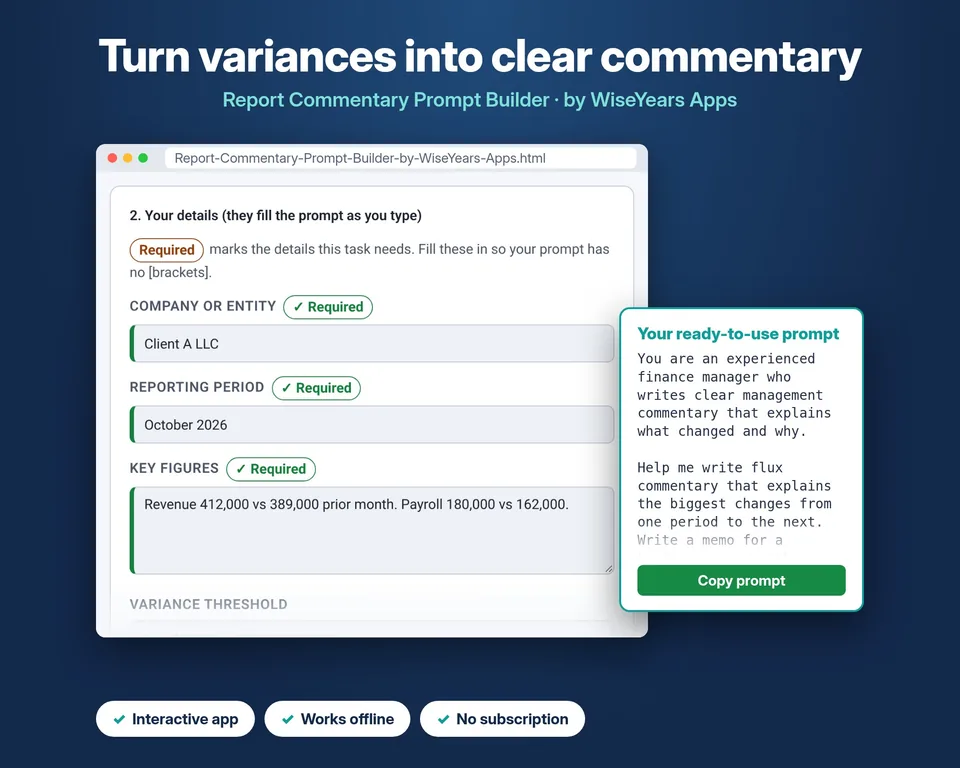
Turn your period numbers into AI prompts for variance, budget versus actual, and year-over-year commentary, plus owner or board memos. Works offline.
$15
Get Financial Report Commentary Prompt Builder: Variances and Budget vs Actual for $15Checkout happens on Payhip, not on this site. All sales of digital downloads are final. See Refunds.
What it builds
Ready-to-use AI prompts that turn flux, budget versus actual and year over year numbers into clear commentary.
- Flux, budget versus actual, and year-over-year commentary
- Driver explanations
- An executive summary and a KPI summary
- Cash position notes
- An update for an owner, a board, a lender, or an investor
- A month-end close summary
Who it's for
Bookkeepers writing the commentary that goes with a period's numbers.
For a monthly meeting pack, with an agenda and talking points, use the Monthly Business Review Prompt Builder.
How it works
- Open the HTML file in your browser. The file works offline, and there is no subscription.
- Pick a task and type the details you already have.
- Copy the prompt.
- Paste it into the AI tool you already use.
- Check the draft before you send it or post it to the books.
Note
Organizational tool only. Not tax, legal, or accounting advice. You check the draft before you use it. The file works offline. There is no subscription. Your entries stay on your device.
Frequently asked questions
- What commentary can it build a prompt for?
- Variance, budget versus actual, and year-over-year notes, driver explanations, an executive or KPI summary, cash position notes, an owner, board, lender, or investor update, and a month-end close summary.
- Where do the numbers come from?
- You enter the period numbers. The builder turns those details into a prompt you paste into the AI tool you already use.
- Does it need a subscription?
- No. The file works offline in your browser, and there is no subscription. You paste the prompt into the AI tool you already use.